How to Prepare for a Video Interview (UK, USA and Canada)
Video interviews are now a normal part of hiring in the UK, the USA and Canada. This guide gives you three checklists — before the call, during the call and after the call — plus the technology checks and the questions you will actually be asked.
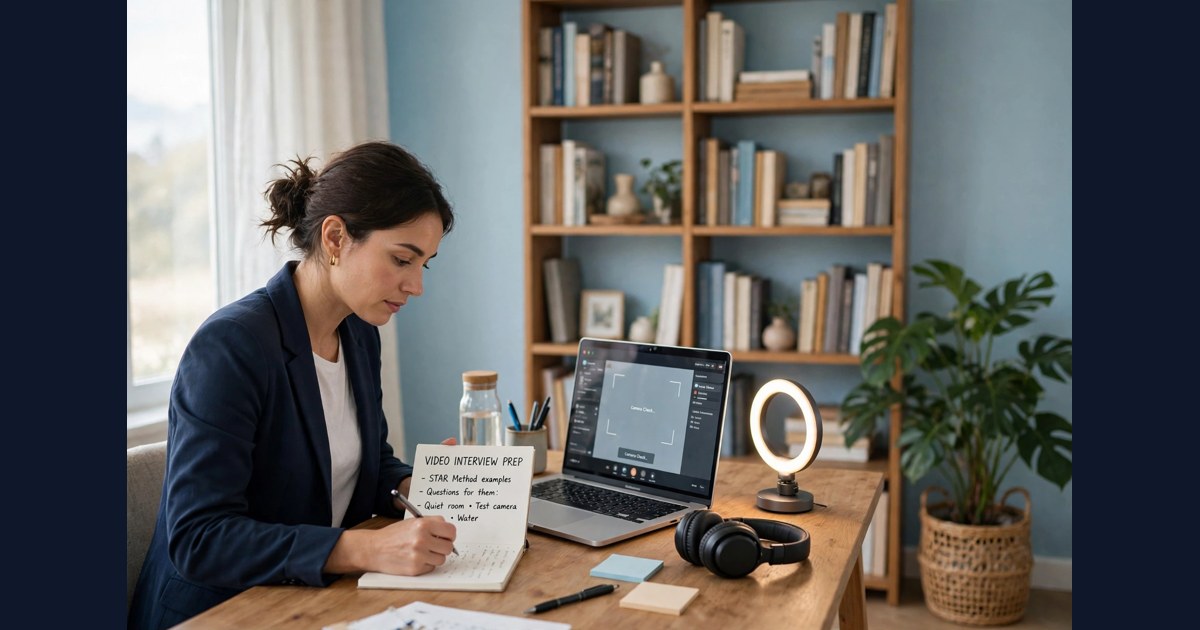
The interviewer appears on your screen, smiles, and says hello. You smile back — and then you notice that your camera is pointing up your nose, the light from the window has turned you into a silhouette, and the neighbour's dog has started barking at exactly the wrong moment. Nothing about your answers has gone wrong yet, but the first ten seconds have already told the interviewer something you did not mean to say.
Video interviews are now a normal part of hiring in the UK, the USA and Canada, and they are often the first live conversation a candidate has with an employer. They are used for almost every kind of role. GigBlow currently lists 154,086 live jobs across the three countries — 52,722 in the USA, 51,107 in the UK and 50,257 in Canada — and the largest single category, IT and software, holds 72,856 of them. Healthcare in the USA alone holds 37,792. A large share of those employers now screen candidates by video before inviting anyone to meet in person, which means the video call is often the gate, not the formality.
The good news is that a video interview is a skill, not a talent. It can be practised, checked and improved, and most of what goes wrong is preventable. This guide is organised as three checklists — before the call, during the call and after the call — followed by the technology checks and the questions you will actually be asked.
Before the call: the preparation checklist
- Read the invitation properly. Note the platform, the date, the time and the time zone. A 10:00 call from a London employer and a 10:00 call from a Toronto employer are five hours apart. If the invitation gives no time zone, ask. If it gives a link, click it once in advance to confirm it opens.
- Research the employer for twenty minutes, not two hours. Find out what the organisation does, who its customers are, and what has changed for it recently. Look at the job description again and mark the three requirements that matter most. Twenty focused minutes will give you enough to answer "why us?" honestly; two hours of reading will mostly give you facts you will never use.
- Prepare four stories, not forty answers. Interviewers remember stories. Choose four real examples from your work or study: a problem you solved, a time you worked with a difficult person, a mistake you learned from, and a time you delivered something under pressure. For each one, know the situation, what you did, and what happened as a result. Four well-prepared stories will carry you through most questions.
- Write your notes on paper, not on screen. A short list of bullet points on a sheet beside your keyboard is invisible to the interviewer and easy to glance at. Notes on a second screen are visible in your eyes, which will keep drifting sideways. Keep the sheet to one page.
- Choose the room the day before. Pick the quietest room with the best light and the most reliable internet. Sit with a window or a lamp in front of you, not behind you — light from behind turns you into a silhouette. Put a plain wall or a tidy shelf behind you. Close the door. Tell the people you live with the time of the call.
- Dress as you would for the office. Wear what you would wear to meet this employer in person, at least from the waist up — and wear the rest too, in case you have to stand up. Solid colours work better on camera than busy patterns, which shimmer. Avoid pure white, which can blow out the picture, and avoid black against a dark background.
- Charge everything and close everything. Plug in the laptop or charge it fully. Close every application you do not need, silence your phone, and turn off notifications on the computer. A message popping up mid-answer is distracting for you and visible to the interviewer.
- Do a full rehearsal, out loud, the day before. Open the platform, join a test meeting, and say your introduction to an empty room. Check how you look and sound. Time your answers: if your introduction takes more than a minute, shorten it. Speaking out loud matters — answers that sound fine in your head often ramble when spoken.
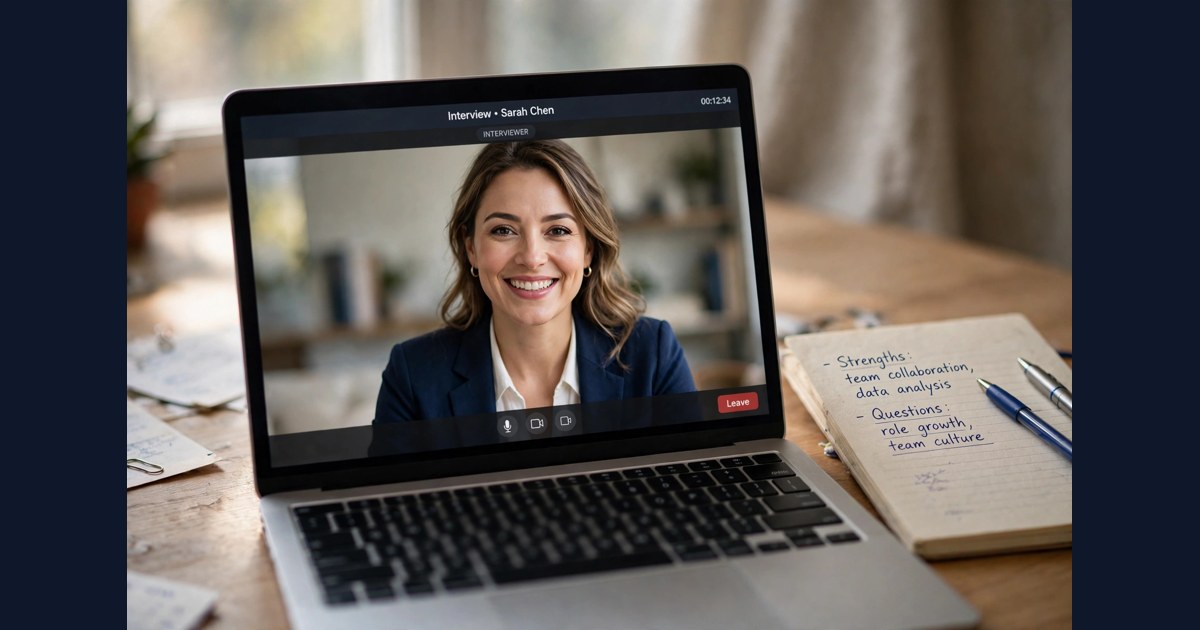
During the call: the performance checklist
- Join two minutes early, not ten. Two minutes shows you are organised and gives you time to settle. Ten minutes leaves you sitting in a virtual waiting room, getting nervous, while the interviewer wonders whether to start early.
- Look at the camera, not at the faces. This is the hardest habit to build and the one that matters most. When you look at the interviewer's face on your screen, they see you looking down. When you look at the camera, they see you looking at them. Glance at the screen to read their reaction, then return to the camera when you speak. Putting a small sticker beside the camera helps.
- Speak a little slower than feels natural. Video flattens tone and swallows the ends of sentences. Slow down by about ten per cent, finish your sentences, and pause briefly before answering a question. The pause looks thoughtful, and it stops you talking over the interviewer when there is a delay.
- Sit still and sit up. Keep your hands where the camera can see them if you gesture, and keep them still if you do not. Avoid touching your face, tapping the desk or rocking in your chair — the camera magnifies all of it. Sit upright, with both feet on the floor, and lean slightly towards the camera when you are listening.
- Answer the question that was asked, then stop. The most common video interview mistake is the long answer that wanders away from the question. Aim for sixty to ninety seconds per answer. If the interviewer wants more, they will ask. A short, complete answer beats a long, drifting one every time.
- Use the structure of your stories. When a question asks for an example, give the situation in one sentence, describe what you did in two or three sentences, and finish with the result in one sentence. Then stop. The interviewer is listening for evidence, not for a speech.
- Treat silence as normal. Video calls have delays. If two people start speaking at once, stop, smile and say "after you". If the interviewer goes quiet, they are probably writing notes, not waiting for you to fill the gap. Resist the urge to keep talking.
- Ask your questions at the end, and make them real. Two or three genuine questions are enough: what the team is working on now, what success looks like in the first three months, or what the next step in the process is. Avoid questions whose answers are on the employer's website, and avoid asking about salary in a first video interview unless the interviewer raises it.
- If something goes wrong, say so plainly. If the connection freezes, say "I think I lost you for a moment — could you repeat that?" If a noise interrupts you, apologise briefly and carry on. Interviewers forgive a dropped connection; they do not forgive a candidate who pretends nothing happened while half the answer is missing.
After the call: the follow-up checklist
- Write down what happened within an hour. Note the names of the interviewers, the questions you found hardest, anything you wish you had said differently, and anything the interviewer said about the next steps or the timing. Memory fades fast, and these notes are what make the next interview better.
- Send a short thank-you message the same day. One email or message, three or four sentences: thank them for their time, mention one specific thing from the conversation, and confirm that you are interested in the role. Do not send a long letter, and do not send the same message to every interviewer with only the name changed.
- Do not chase the next day. Employers usually say when they will be in touch. If they gave a date and it passes, one polite follow-up is right. If they gave no date, wait a week. Chasing daily does not speed a decision up, and it can undo a good impression.
- Review your own performance honestly. Watch for the patterns: did you ramble on one question, did you forget an example, did you talk too fast at the start? Fix one thing before the next interview. Candidates improve fastest when they change one habit at a time rather than trying to rebuild everything.
- Keep applying. A video interview is not an offer. Until you have one in writing, keep searching and keep applying. The IT software jobs listings are a good place to keep looking if technology is your field, and the healthcare jobs in the United States listings cover the largest healthcare market on GigBlow.
The technology: a ten-minute check that prevents most disasters
Most video interview failures are not about answers. They are about sound, light and connection, and all three can be checked in ten minutes the day before.
Sound matters more than picture. An interviewer will forgive a slightly soft image, but they will not strain to hear you for thirty minutes. Use a headset with a microphone if you have one — it removes echo and keeps your voice clear. If you use the laptop microphone, sit close to the computer and keep the room quiet. Test the microphone in the platform's settings, and record yourself speaking for thirty seconds and play it back. If you sound distant or echoing, move closer or switch to a headset.
Light should fall on your face, not behind your head. The simplest good setup is a window or a lamp directly in front of you, slightly above eye level, with no bright light behind you. If the only window is behind you, close the curtain and use a lamp in front instead. A desk lamp aimed at a white wall in front of you works surprisingly well as a soft light.
Connection is the third check. If you can, use a wired connection or sit near the router. Close video streaming, cloud backups and other heavy applications before the call. Ask anyone sharing the connection to avoid large downloads during your interview. If the connection does drop, rejoin quickly and apologise once — interviewers understand, because it happens to them too.
Finally, know the platform. Zoom, Microsoft Teams and Google Meet behave slightly differently, and each has its own way of muting, sharing a screen and raising a hand. Spend five minutes learning the one your interviewer uses. Joining a call and then hunting for the mute button while the interviewer waits is an avoidable first impression.
Answering the questions you will actually be asked
Video interviews usually open with a small number of predictable questions. Preparing for these five covers most first interviews.
"Tell me about yourself." Keep it under a minute. Start with your current situation, pick the two or three experiences most relevant to this role, and finish with why you want this job. Do not recite your CV from the beginning; the interviewer has already read it.
"Why do you want this role?" Answer with something specific about the work, the team or the organisation — not with something about yourself. "I want to work with your data team because you publish research I have followed" is a better answer than "I am looking for a new challenge". The guide to what Canadian employers check first explains how hiring managers in Canada read this question, and the same thinking applies in the UK and the USA.
"Tell me about a time you solved a difficult problem." Use one of your four stories. Keep the situation to one sentence, spend most of the answer on what you actually did, and end with the result. Interviewers listen for your part in the story, not for the problem itself.
"What is your greatest weakness?" Choose a real weakness that you are working on, and say what you are doing about it. "I used to avoid speaking in meetings, so I started volunteering to present updates, and it has become much easier" is an honest answer. "I am a perfectionist" is not — interviewers have heard it too many times.
"Do you have any questions for us?" Always have two ready. Good questions ask about the work itself: what the team is focused on, what the first three months look like, or how the role has changed since it was last filled. Avoid questions about holidays and working hours in a first interview, and never say you have no questions at all.
If your CV needs work before the interview, the guide to writing a CV that gets read in the UK covers the layout and wording that UK hiring managers respond to.
How to apply on GigBlow
A video interview usually follows an application, so the application itself deserves the same care as the call.
- Find roles that match what you can actually do. Browse jobs in the United States, jobs in the United Kingdom or jobs in Canada on GigBlow, and filter by the category and location that fit you.
- Read the whole job description before you apply. Note the requirements, the location and the working pattern, and check that you meet the core ones. If the role says the interview is by video, expect the call to come quickly — some employers schedule within days.
- Shape your CV around the role. Put the experience that matches the job first, and keep it to two pages. Five applications shaped to the job beat fifty identical ones.
- Write down every application. When the video invitation arrives, you will want to know which role it is for, what the employer does and what you said in your application. A simple list — employer, role, date applied, closing date — is enough.
- Prepare for the call as soon as the invitation arrives. Do not leave the technology check to the morning of the interview. Run through the checklists above, rehearse your four stories out loud, and lay out what you will wear.
- Apply through the route the posting asks for. Some roles ask you to apply on the employer's own site; others take applications through GigBlow. Follow the instruction in the advert, and keep a copy of what you sent.
Frequently asked questions
How much time should I set aside for a video interview?
Most first video interviews last between twenty and forty-five minutes. Some screening calls are as short as fifteen minutes; a second-stage interview can run to an hour. The invitation usually says how long to allow. Plan for the full time, and do not book anything immediately afterwards.
Should I use a virtual background?
A plain real background is better than a virtual one. Virtual backgrounds can flicker around your hair and hands, which is distracting. If your room cannot be tidied, a simple blurred background is the next best option — most platforms offer one — and it is better than a fake office or beach scene.
What should I do if my internet drops during the interview?
Stay calm, rejoin the call as quickly as you can, and apologise once. If you cannot rejoin, email or message the interviewer straight away, explain briefly, and offer to reschedule or continue by phone. Interviewers have all had the same experience themselves, and a calm recovery can leave a better impression than a perfect connection.
Is it all right to have notes during a video interview?
Yes, and most interviewers expect it. A short list of bullet points on paper beside your keyboard is fine. Reading full sentences from a screen is not — your eyes give it away, and your answers sound flat. Keep the notes to prompts, not scripts.
How should I dress for a video interview?
Dress as you would for an in-person interview with the same employer. For most office roles that means smart business dress; for a warehouse or trades role, a clean, tidy shirt is usually right. Solid colours work best on camera, and it is worth wearing the full outfit rather than dressing only from the waist up.
What if I have never done a video interview before?
Practise with a friend. Ask them to interview you over video for twenty minutes, then ask what they noticed: your eye contact, your pace, your background, your sound. One practice run removes most of the fear, because the unknown becomes familiar. You can also record yourself answering three questions and watch the recording back — uncomfortable, but very effective.
You can explore current openings across all three countries on GigBlow, and if you want to understand how employers read applications in each market, the guide to reading a UK job advert and the guide to what remote really means in a listing are useful companions to this one.
GigBlow Jobs
Ready for your next interview?
Browse live jobs across the USA on GigBlow — the largest pool of roles on the site — and put your preparation to work.
Browse jobs in the USA →